AutoFarm3D V3.15.6 - Release Notes
Maintenance Tracking & Auto Scheduling Has Arrived!
AF3D v3.15.6 introduces the new Maintenance module with automatic maintenance scheduling and tracking, helping teams reduce downtime, standardize maintenance procedures, and keep printers operating reliably at scale.
Update Instructions
This is an OTA update. Simply reboot your hub and the update will automatically download and install.
Maintenance Module
Track routine printer maintenance directly inside AutoFarm3D. Create recurring maintenance routines, assign them to printers, and automatically track when maintenance is due.
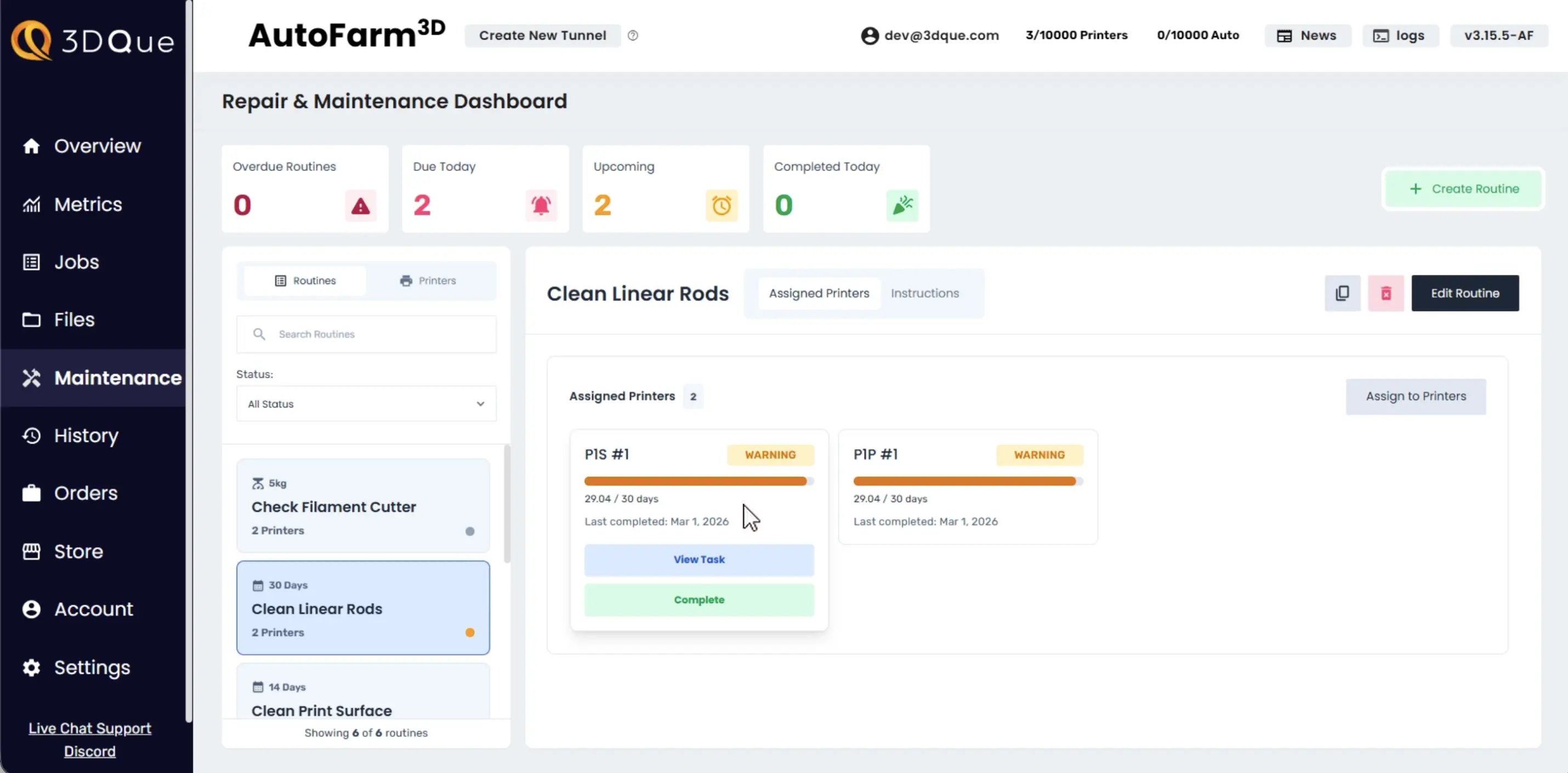
Maintenance Routines
Set up recurring maintenance routines and assign them to printers.
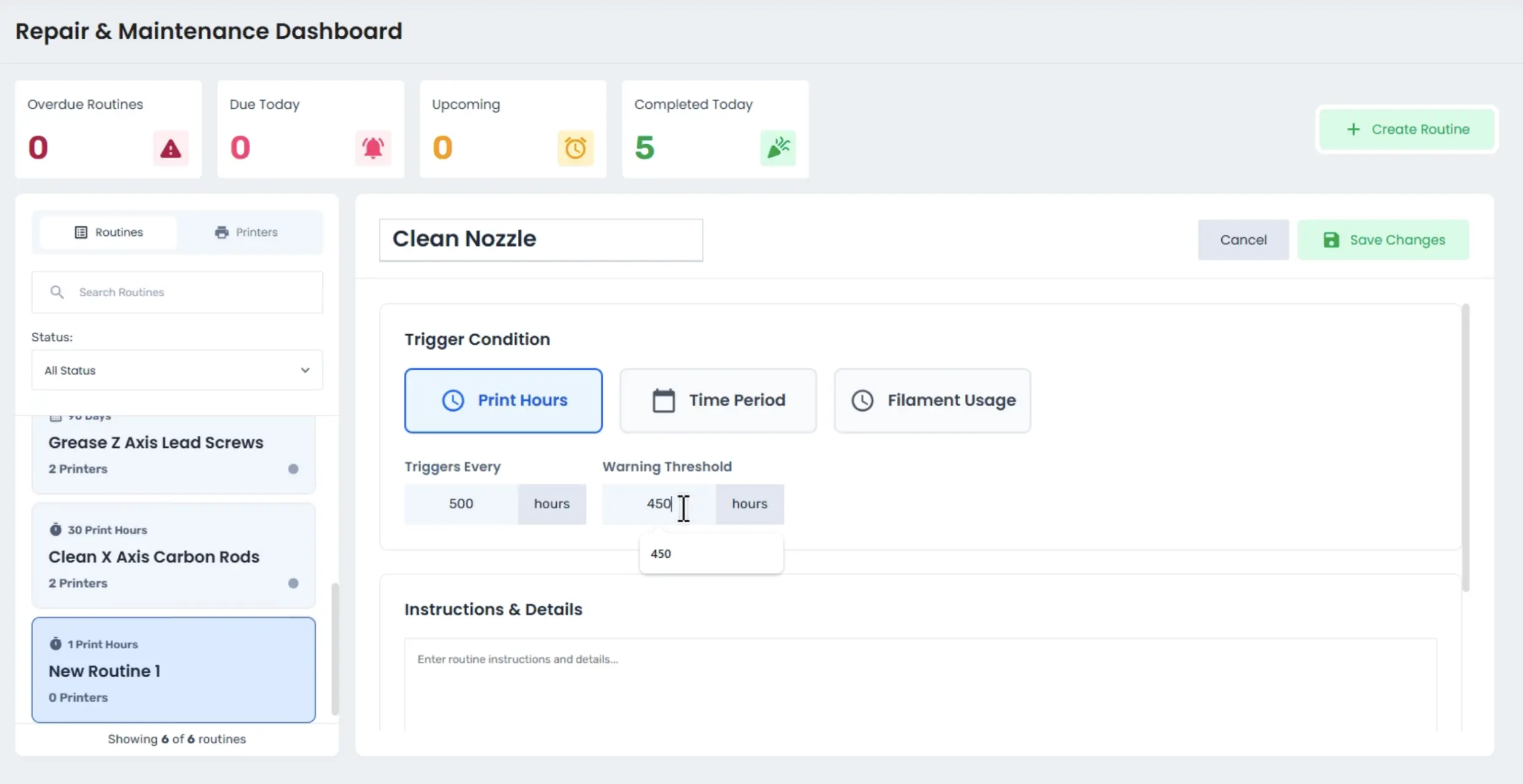
In each routine, the user can:
- Name the routine
- Choose trigger condition and value
- Set warning threshold
- Customize description using markdown and embed images
Maintenance Triggers
Maintenance can be scheduled based on:
- Fixed schedule
- Print hours
- Material usage
AutoFarm3D automatically tracks progress and updates task status as printers are used.
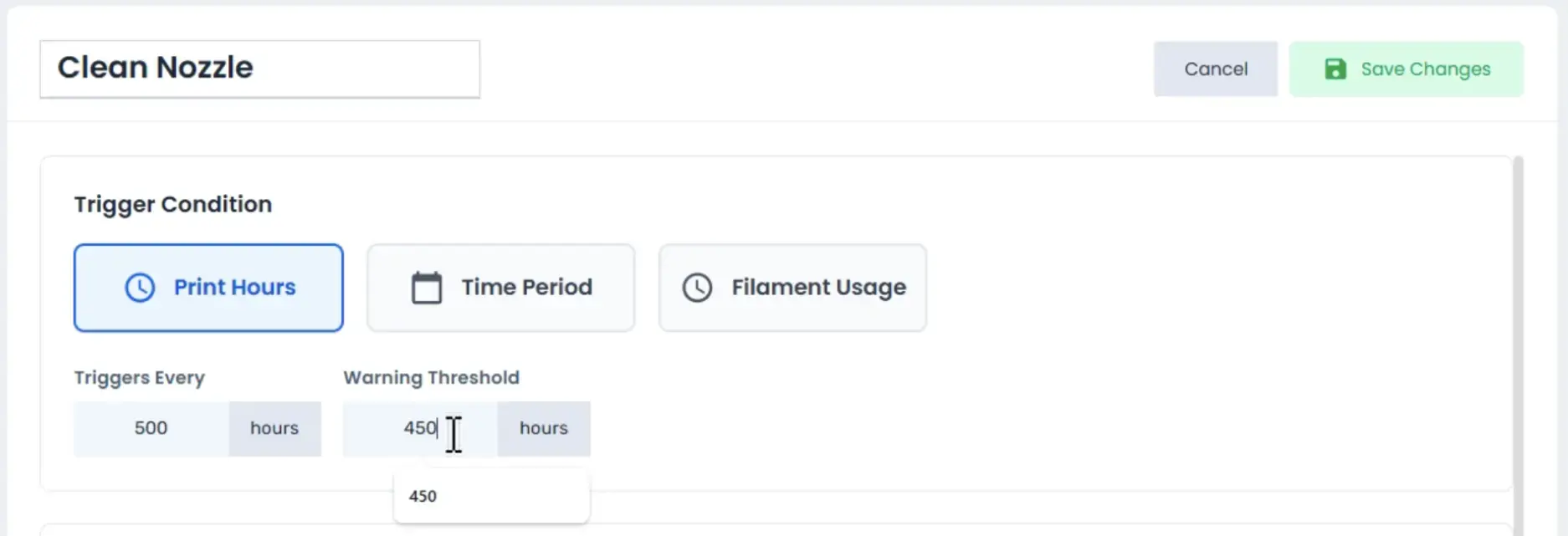
Maintenance Dashboard
Monitor maintenance activity across your entire print farm from one centralized dashboard.
- Quickly see all maintenance routines and their status (upcoming, due, overdue)
- At-a-glance summary of task counts by status

- View maintenance list by maintenance routine or by printer
- Filter by status
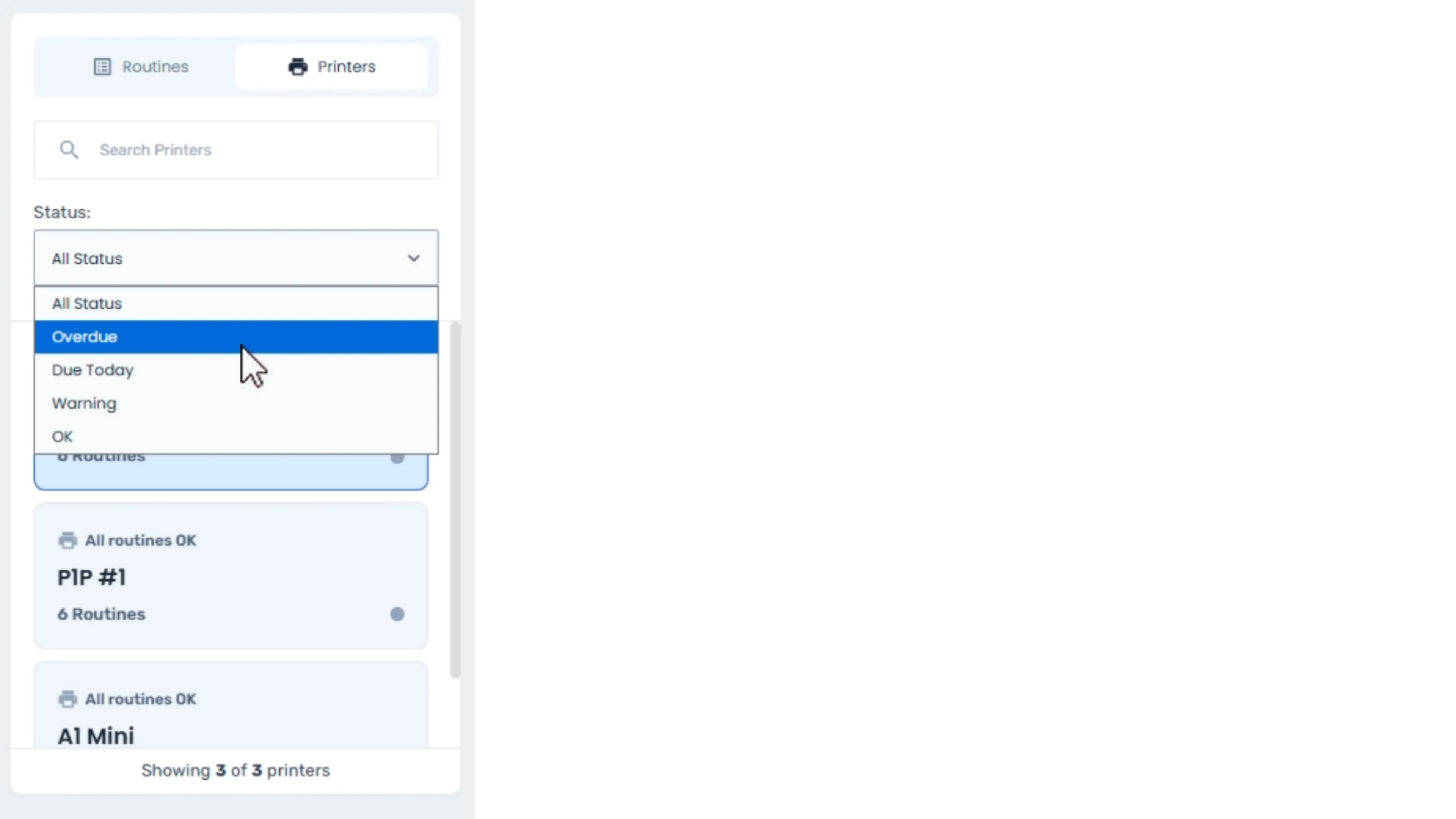
- Search for printer or routine name
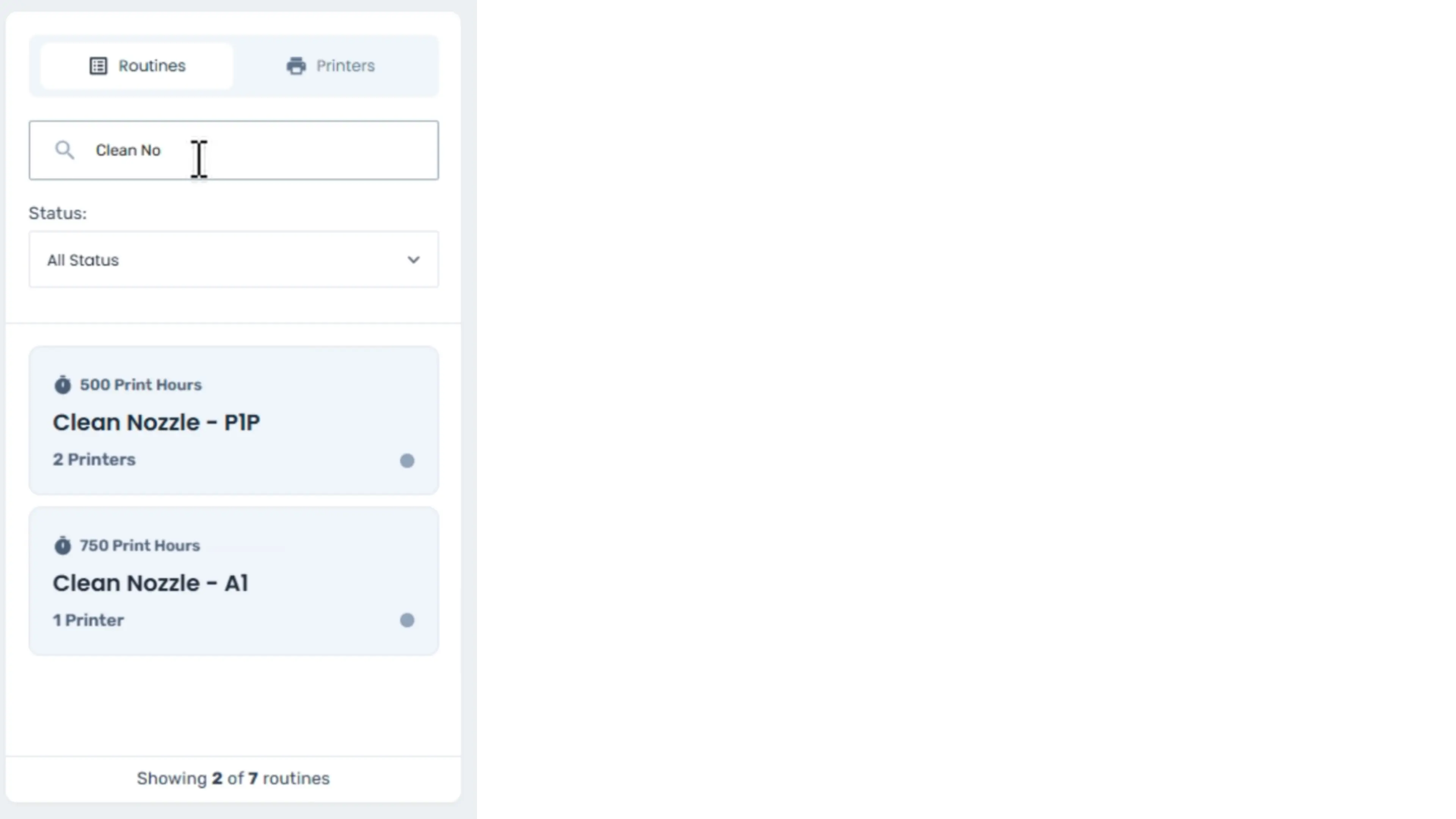
Routine View
Routine view displays all maintenance routines, so users know which maintenance tasks will soon be due across the farm.
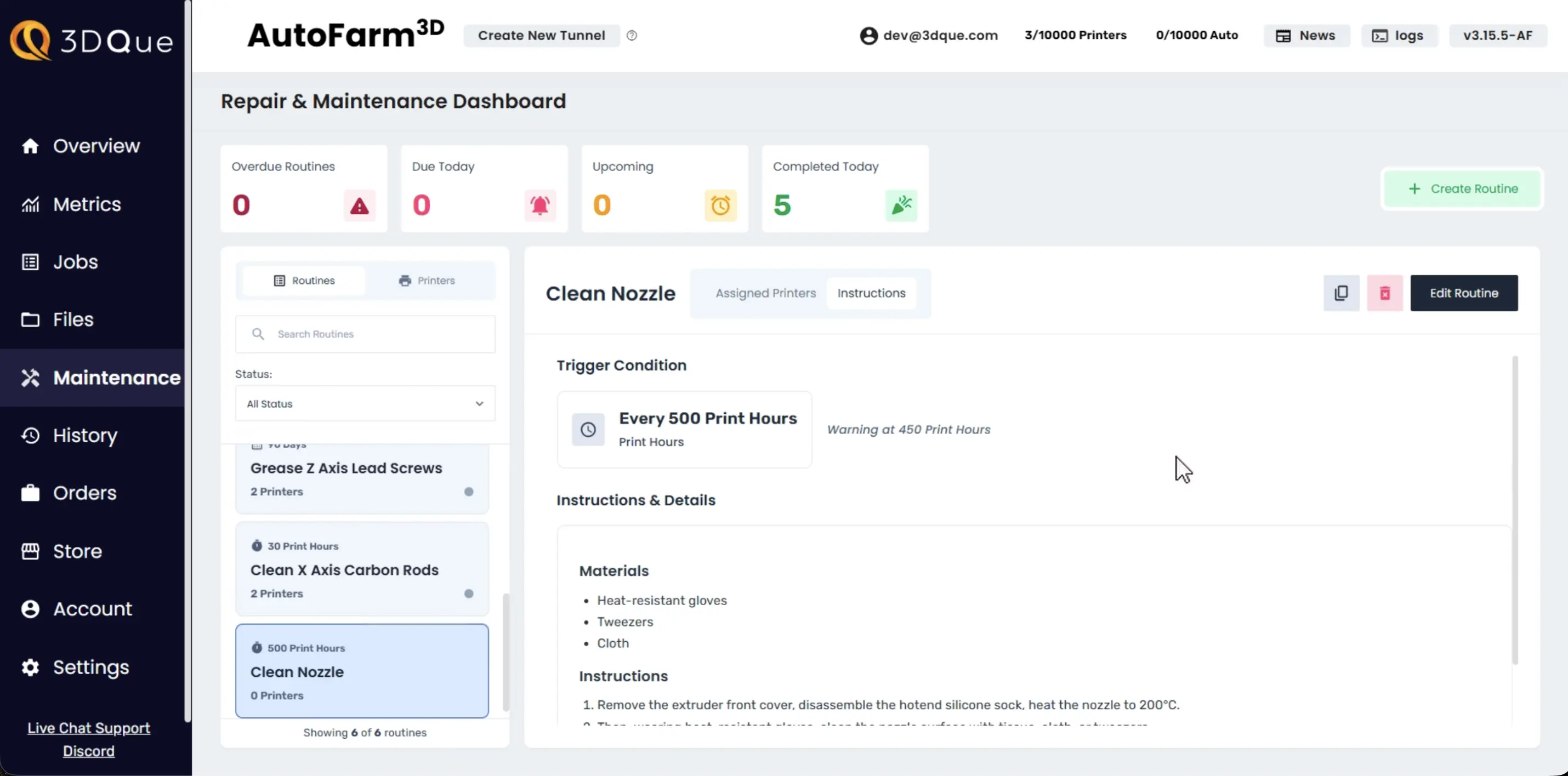
Click a routine to:
- See assigned printers
- Track per-printer progress
- View instructions and trigger details
- Complete routine on printers
- Access per-printer routine history
- Edit routine
The sidebar displays:
- Assigned printer count
- Trigger condition
- Maintenance statuses of assigned printers
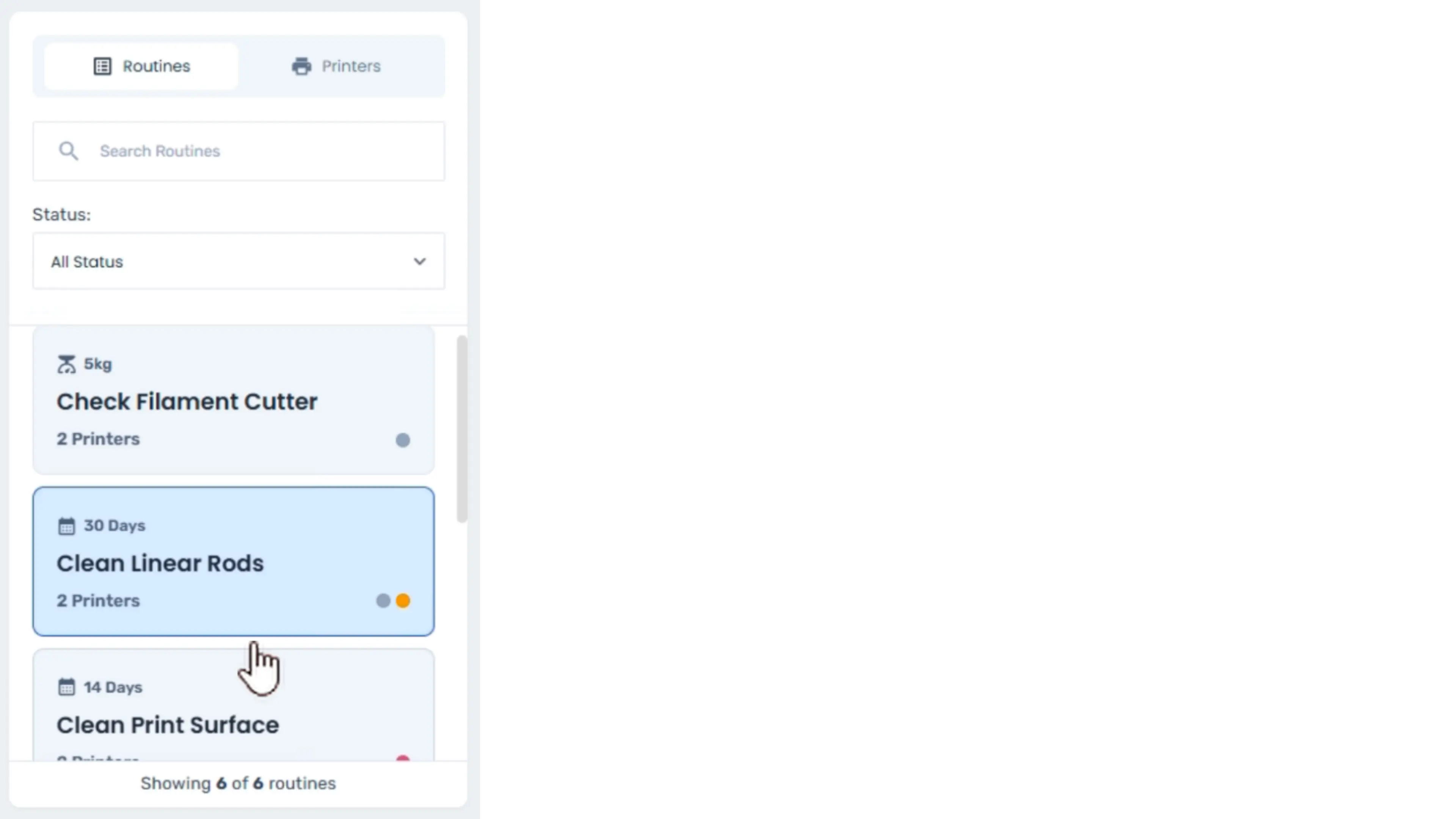
Printer View
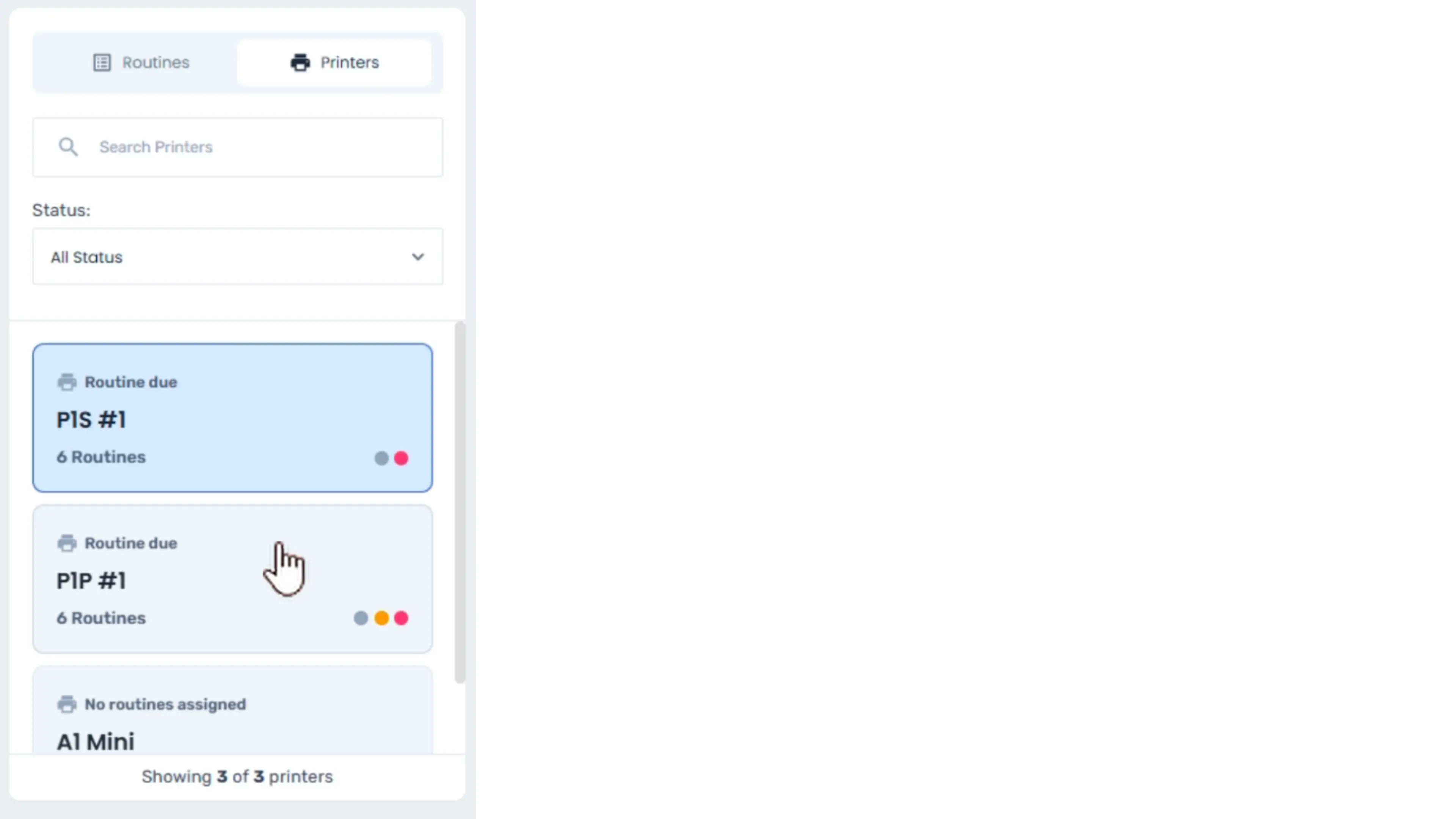
Printer view allows operators to monitor all maintenance routines assigned to a specific printer.
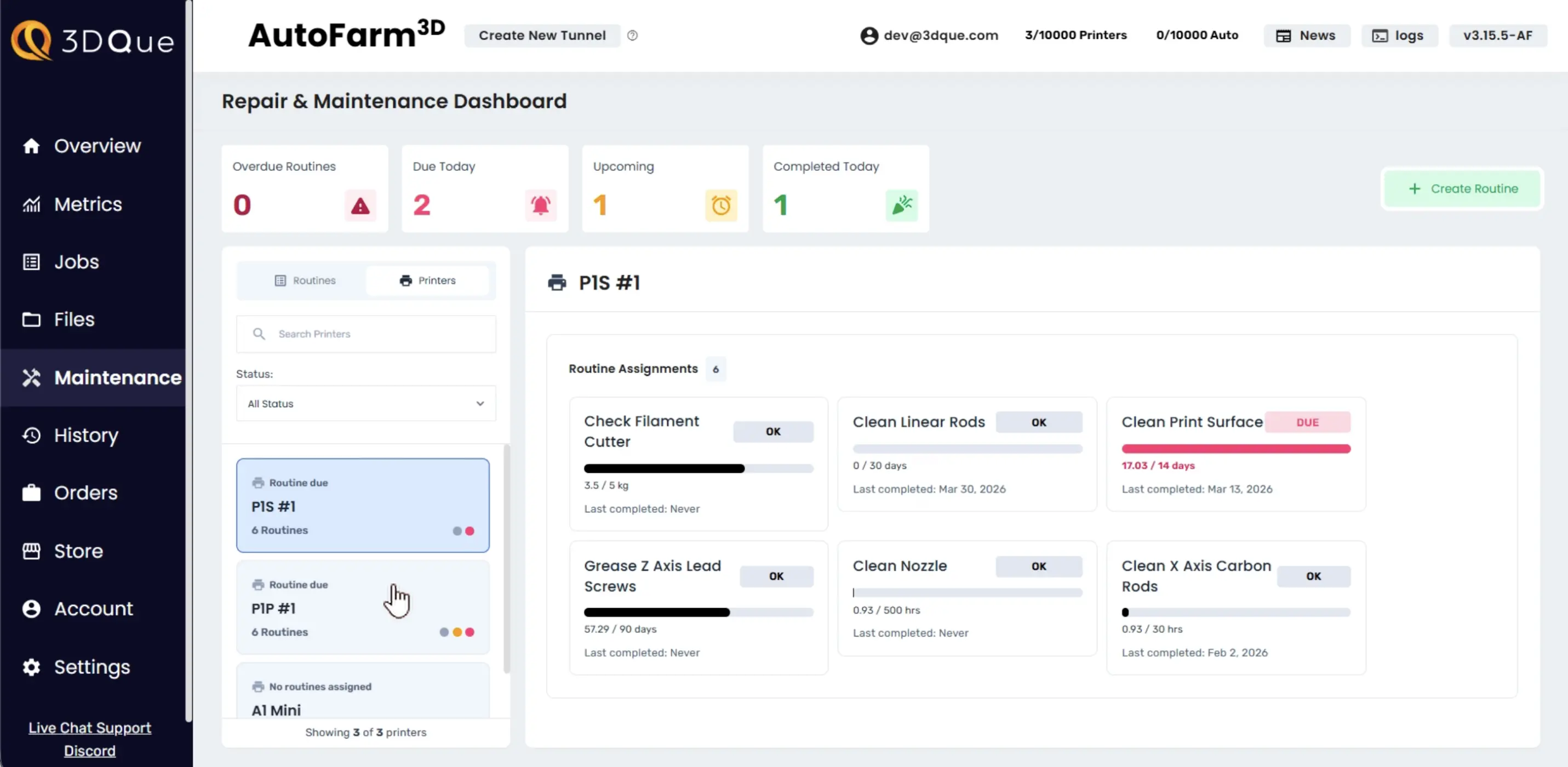
Click a printer to:
- View all assigned maintenance routines
- Track per-routine progress
- Complete routines on printer
- Access per-routine history
- Edit assigned routines
The sidebar displays:
- Assigned routine count
- Maintenance statuses of assigned routines
- Filter printers by status
Maintenance Logs & History
Each completed maintenance task creates a permanent record for each printer it was completed on. This record includes:
- Completion date & time
- Notes input by user
- User who completed the task
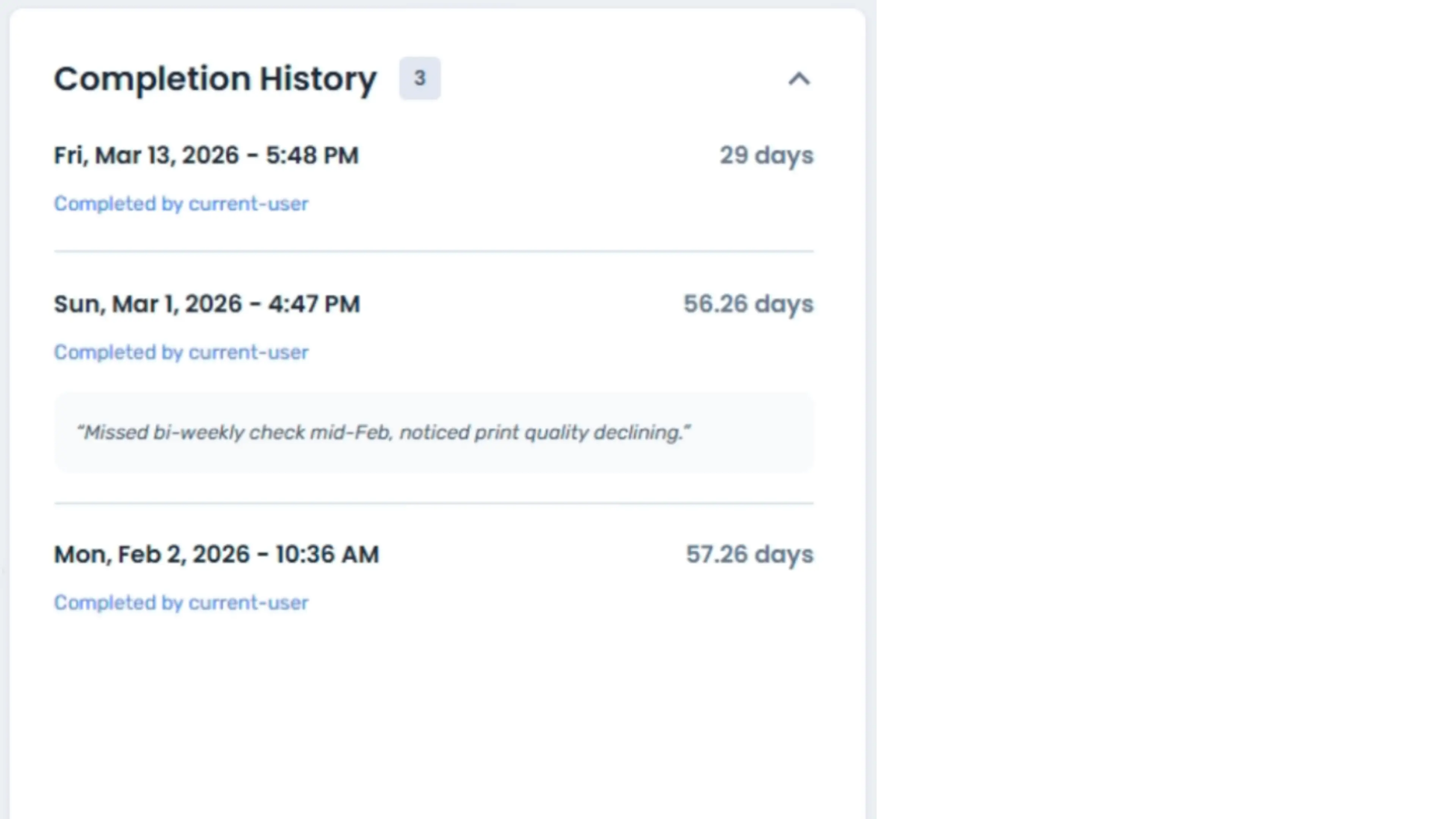
This makes it easy to track recurring issues and maintain service records across large farms.
Offline Printers
Tasks can be assigned to offline printers, and maintenance tracking continues while printers are offline.
Bug Fixes & Performance Improvements
- Fixed an issue where collecting jobs with deleted source files could cause errors
- Improved performance for very large spool inventories (10,000+ spools)
Connect with other print farms on the Discord Community.
For more information and support, visit our website or contact [email protected].