AutoFarm3D V3.15.2 - Release Notes
This release introduces inventory counts for filament, standing orders, filament use optimization, and expanded support for newly released Bambu Lab printers.
Update Package
Portions of this update include low-level system upgrades and therefore require a manual update process! Please follow the manual update guide here and make sure you apply the update to all Hubs on your network!
Downloads:
3.15.2 Release Notes
1. Filament Inventory
Manage the amount of spools in stock for each filament.
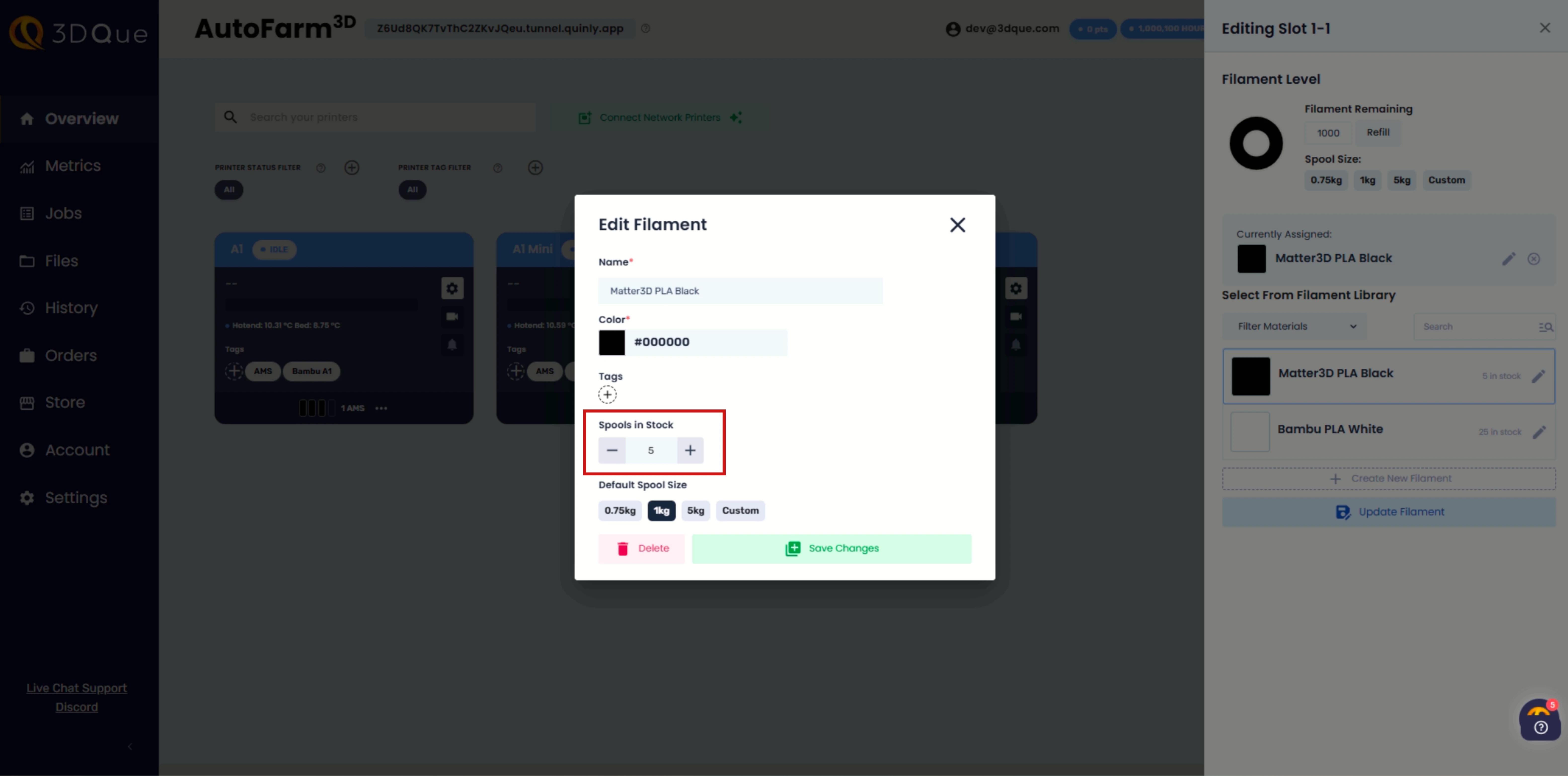
- Inventory will be depleted as spools are consumed by the printer.
- Set the default spool size for each filament type, and it automatically applies when filament is loaded or detected on a printer.
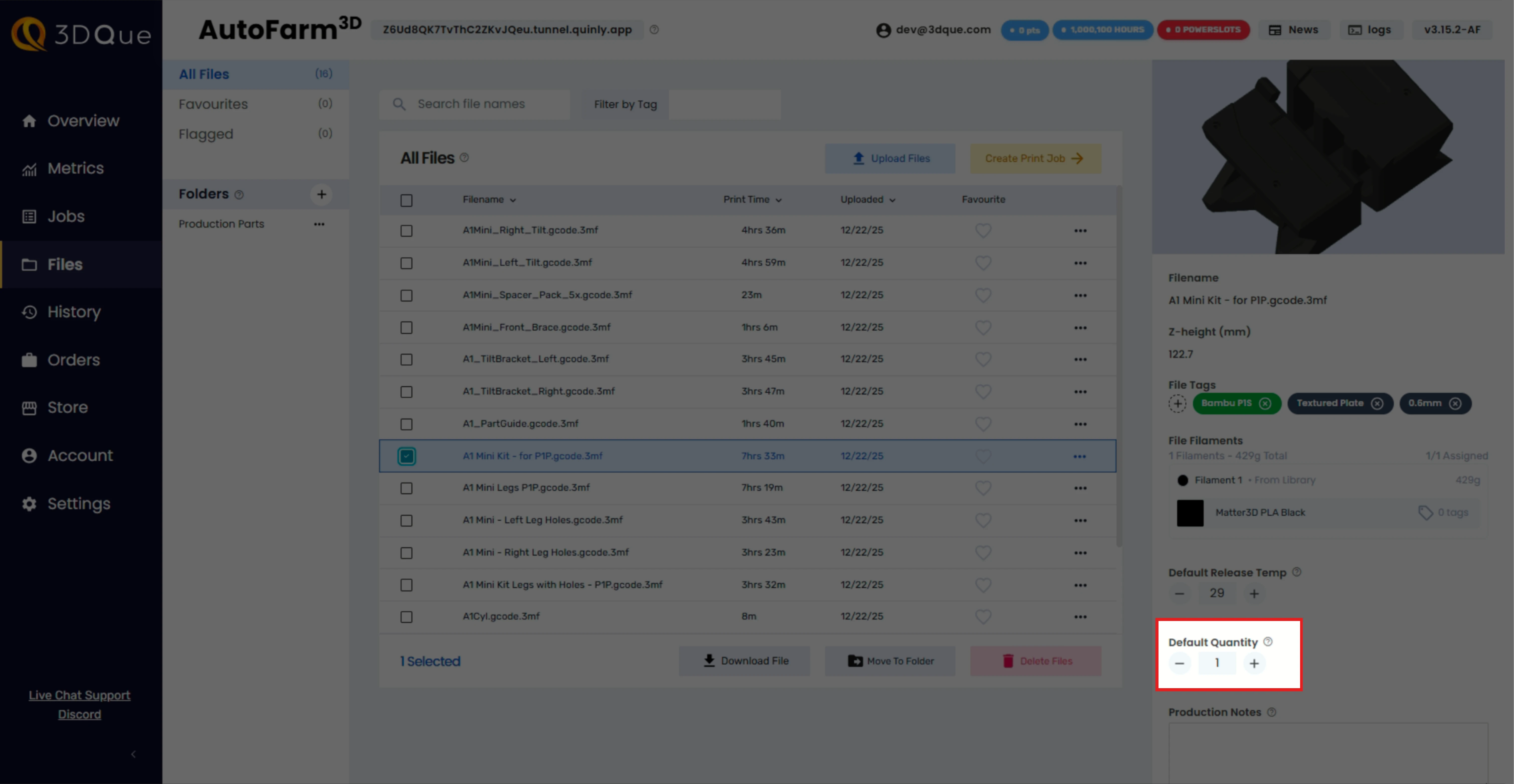
2. Default Quantity (Standing Orders)
Set default quantities per file to create standing orders. Once default quantities are set, you can create a set of products by sending entire folders to production.
3. Spool Check and Queue Improvements
Enabling Spool Check prevents jobs from being sent to printers that do not have enough filament remaining.

- The Queue has a new settings menu, where you can enable Spool Check.
- Helps prevent filament runouts: useful when printing delicate parts which require uninterrupted surface finish, such as vase-mode prints.
- Squeezes the most out of a spool: smaller jobs to float to the top of the queue if there is not enough filament remaining for larger prints.
- Improve uptime: printers are less likely to begin a large print only to run out of filament when you're not available.
- The queue will still obey job priority when possible.
- Queue will now display a detailed reason when a job that cannot be dispatched is identified.
4. Support for New Bambu Labs Printers
- Added support for P2S, H2S, H2D, H2D Pro, and H2C series of Bambu printers.
- Auto-ejection is available for P2S, and will be coming to H2 series printers in a future update.
- AMS interface will display AMSHT and Dual Nozzle configurations.
- Updated A1 series support for use with AMS and AMSHT.
- Supports multiple types of AMS on a single printer.
5. Bugfixes & Other Changes
- Added progress bar when the printer is cooling down and resetting.
- Fixed bug where distributed job could get stuck if printers went offline during reset phase.
- UI performance optimizations to Files, Analytics, and Queue Pages.
- Updated AMS reading capabilities to include AMSHT.
- Fixed issue where filament consumption sometimes would not be tracked if the printer was offline when a job was completed.
System Images
In case you want to re-flash to get this update (highly recommended if skipping versions).
Connect with other print farms on the Discord Community.
For more information and support, visit our website or contact [email protected]